
Technology
LDAC vs Standard Bluetooth Audio: Understanding Wireless Sound Quality Through Anker R60i
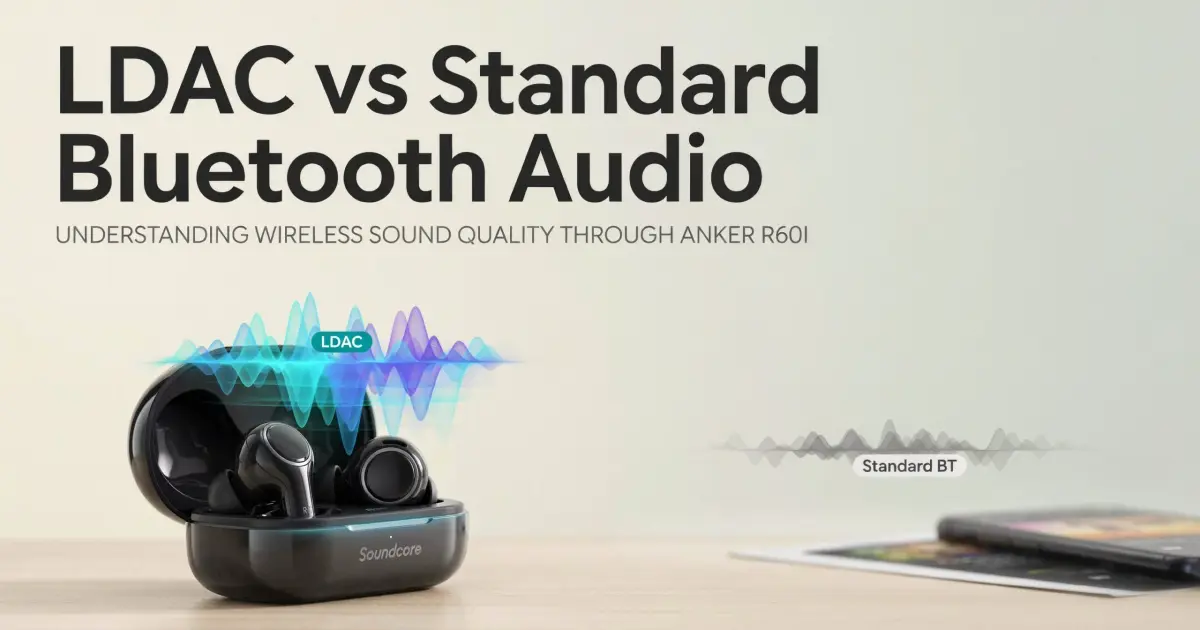
Two earbuds can look identical and sound very different. The reason often hides inside the Bluetooth codec. A codec compresses music so it can travel through the air. Then your earbuds unpack it again. Some codecs squeeze hard and lose fine detail. Others keep far more of the original signal. LDAC belongs to the second group. The Soundcore R60i NC supports LDAC, AAC, and SBC, so it makes a useful test subject. This guide explains each codec in plain language. You will learn what changes in real listening and what stays the same. You will also see how to switch LDAC on, and when to turn it off. Finally, you will get tips to improve sound with any codec. Read on to hear your music more clearly.
How Standard Bluetooth Audio Works
Standard Bluetooth audio relies on SBC, the codec every device must support. It works everywhere, which makes it reliable. However, it sends a modest amount of data, so some detail gets lost. AAC is the next step up and the default on iPhones. It handles compression more efficiently than SBC at similar speeds. Therefore, AAC often sounds smoother and cleaner on Apple devices. Both codecs aim for stable connections and low battery use. That balance suits calls, videos, and casual listening well. Yet both reduce the finest details, like subtle cymbal decay or quiet background textures. Most people will not notice this during commutes or workouts. Noise around you hides small differences anyway. Still, quiet rooms and good ear fit reveal the gap more clearly. Knowing this helps you set realistic expectations for any wireless earbuds.
Why Codec Support Matters When Buying
Many shoppers pick the anker r60i because it offers LDAC support at a budget-friendly level. That choice makes sense, but check the details before you pay. Start with the specification list and confirm LDAC, AAC, and SBC support. Next, confirm that your phone supports LDAC too, since both devices must agree. Most mid-range and flagship Android phones do. iPhones do not. Meanwhile, compare the warranty and return terms from each seller. Ask for an invoice as well. Genuine units come in sealed boxes with clear branding. Avoid unusually low prices, because fakes often skip real codec hardware. Also look for recent buyer comments about connection stability. Strong specs mean little if the link keeps dropping. A smart purchase matches the earbuds to your phone and your listening habits. That small check prevents disappointment later.
How LDAC Handles Music Differently
LDAC, developed by Sony, sends much more data than SBC or AAC. At its top setting, it reaches about 990 kbps. SBC usually runs at roughly one third of that. More data means less compression, so more detail survives the trip. Consequently, LDAC can preserve texture in cymbals, strings, and vocal breaths. Hi-Res Wireless certification reflects this higher capacity. The R60i NC carries that certification, along with 11mm titanium-coated drivers. However, the codec only carries the signal. The drivers and tuning still shape the final sound. Your music source matters too. A low-quality stream cannot gain detail from LDAC. Use lossless files or high-quality streaming for the best result. Also remember that LDAC offers several quality modes. Higher modes sound better but need a stronger signal. Lower modes trade some detail for stability.
What You Will Actually Hear
Expect subtle gains, not a total transformation. In a quiet room, LDAC often sounds airier and more open. Acoustic guitars show finer string texture. Vocals feel more natural, and the background seems less crowded. Dense tracks benefit most, such as orchestral pieces or layered electronic music. Meanwhile, simple podcasts and calls gain almost nothing. Calls use a different Bluetooth profile anyway. Test the difference yourself. Pick one familiar song, then play it with LDAC and again with AAC or SBC. Switch quickly and listen for cymbals and quiet details. Use the same volume each time, since louder sounds seem better. Also try the app’s equalizer. A good preset can change the sound more than the codec does. Trust your ears, not the numbers on a box.
Switching LDAC On and Off
Android phones usually let you choose the codec in Bluetooth settings or developer options. Connect the earbuds first. Then open the device settings and look for audio codec options. Pick LDAC and test playback. Some phones also offer a quality mode, such as best quality or connection stability. Choose stability on crowded trains and streets, because heavy data can stutter in busy radio environments. Choose higher quality at home or at a desk. LDAC also drains the battery faster than SBC or AAC. Therefore, switch back to a lighter codec during long travel days. iPhone users cannot use LDAC. They get AAC automatically, and it sounds good. If audio skips, move the phone closer or turn off unused Bluetooth devices nearby. Re-pairing sometimes fixes codec problems after a software update.
Getting Better Sound With Any Codec
Codec choice is only one part of good sound. First, get the fit right. A proper seal improves bass and clarity more than any setting. Try each ear tip size and pick the one that stays sealed. Next, update the firmware through the Soundcore app. Then explore the equalizer. Adjust gently, because large boosts add distortion. Also check your music app for a high-quality streaming option. Many apps default to lower quality to save data. Moreover, keep the volume at a moderate level. Loud playback hides detail and tires your ears. Clean the earbuds weekly with a dry cloth, since earwax blocks sound. Finally, use good source files. Careful setup often beats a pricey upgrade. With these habits, even standard codecs can sound impressive.
Frequently Asked QuestionsDoes LDAC work on iPhone?
No. iPhones use AAC, which still sounds clean and stable.
Does LDAC improve phone calls?
No. Calls use a separate Bluetooth profile with lower audio quality.
Does LDAC drain the battery faster?
Usually yes. It sends more data, so playtime drops slightly.
Should I use LDAC on a crowded train?
Choose a stability mode or AAC. Busy signals can make LDAC stutter.
Can I really hear the difference?
Sometimes. Quiet rooms and detailed tracks make the gap easier to notice.
Final Thoughts
LDAC offers a real but subtle upgrade for Android listeners. Standard codecs remain stable and perfectly good for daily use. Match the codec to your phone, your surroundings, and your music. Then tune the fit and equalizer, and enjoy cleaner wireless sound.
Keep reading
-
Optoelectronics Market Expected to Reach US$116.14 Billion by 2033 Amid Technological Advancements
Nov 12, 2026
-

Man Portable Communication System Market Advances at 5.3% CAGR With Growing Demand for Tactical Connectivity
Nov 12, 2026
-

Military Vehicle Electrification Market Expected to Reach US$19.42 Billion by 2033 Amid Rising Defense Investments
Nov 12, 2026
0 Comments
No comments yet. Be the first to respond.
Log in to comment